Hands-free control
Start, pause, speed up, or jump back with the iPhone volume buttons.
Your words move directly beneath the front camera. You read naturally, keep eye contact, and the script never appears in the recording.
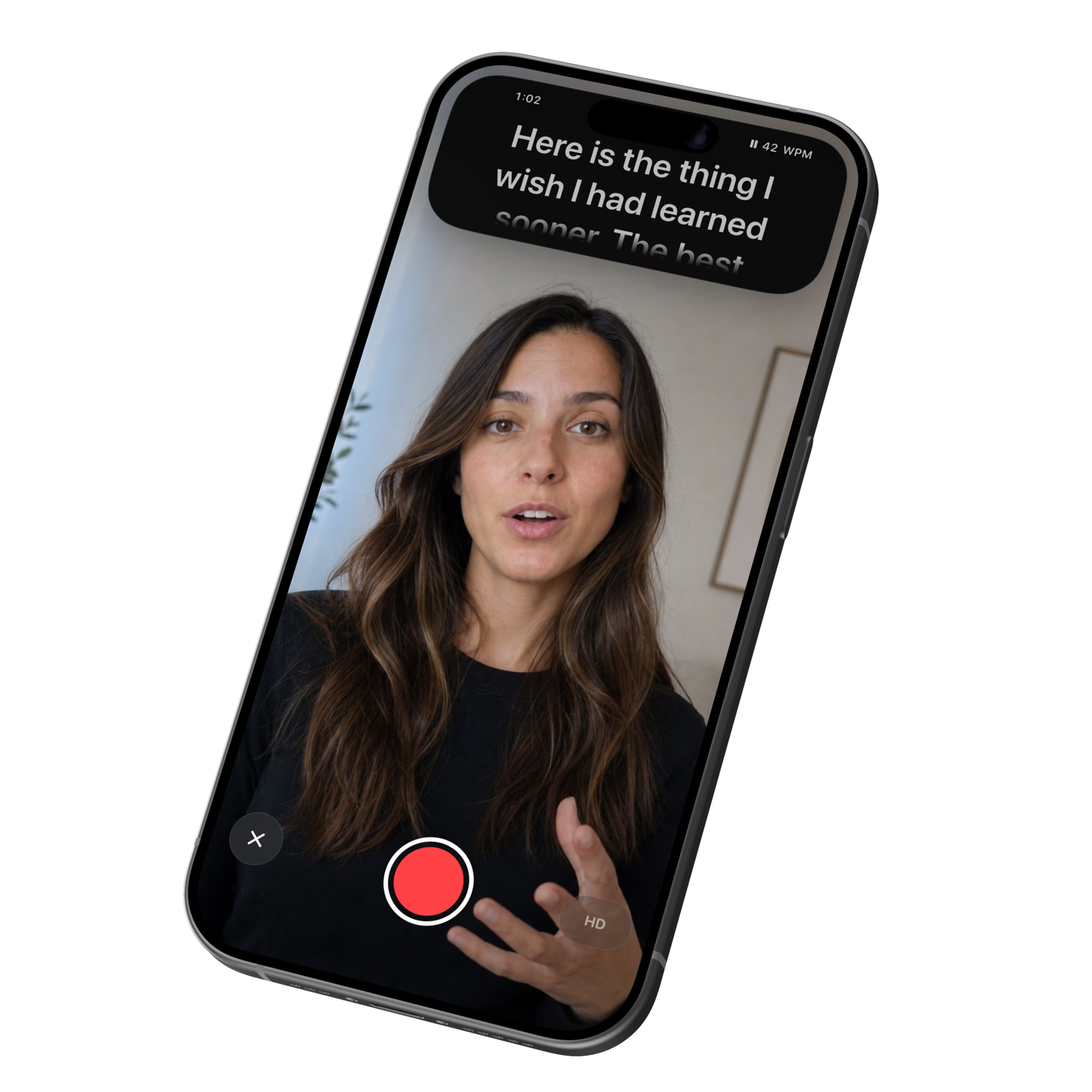
Every prompter app has the same job and almost all of them solve it the same way: park the script in the middle of the screen and hope nobody notices you reading it. The camera is not in the middle of the screen. That is the entire difference.
| Script beside the lens | Script on the lens CueSpot | |
|---|---|---|
| Where the words sit | In the middle of the screen | In the Dynamic Island, at the top |
| Where your eyes go | Down, away from the camera | Straight into the camera |
| What lands on the other end | A delivery that reads as read | Eye contact, all the way through |
| Over a long script | The drift gets worse the longer you talk | Nothing shifts. The line is always at the lens |
| Fixing it afterwards | Cutaways, jump cuts, or another take | Nothing to fix |
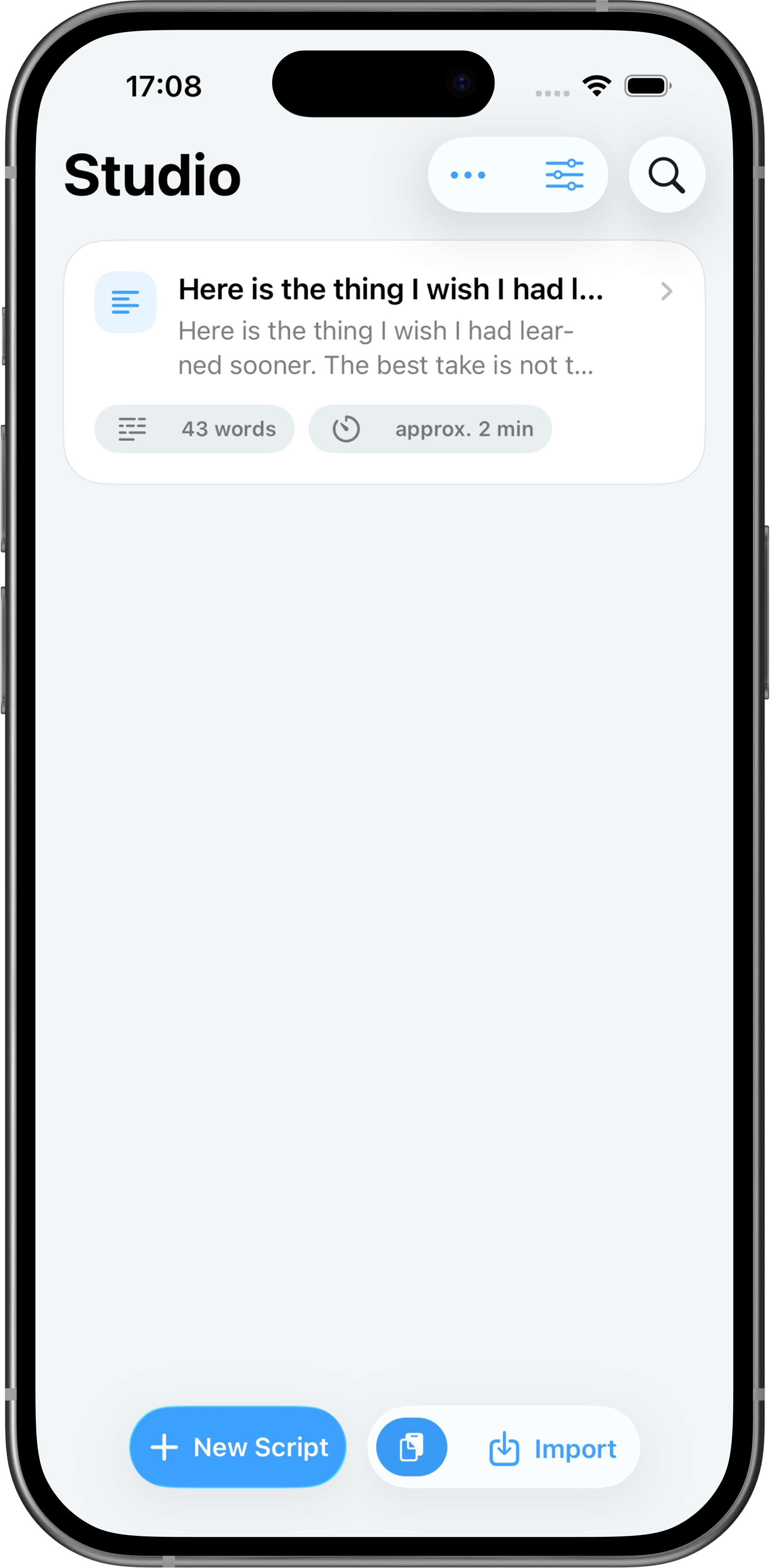
Start fresh, import a file, or open a saved script from your library.
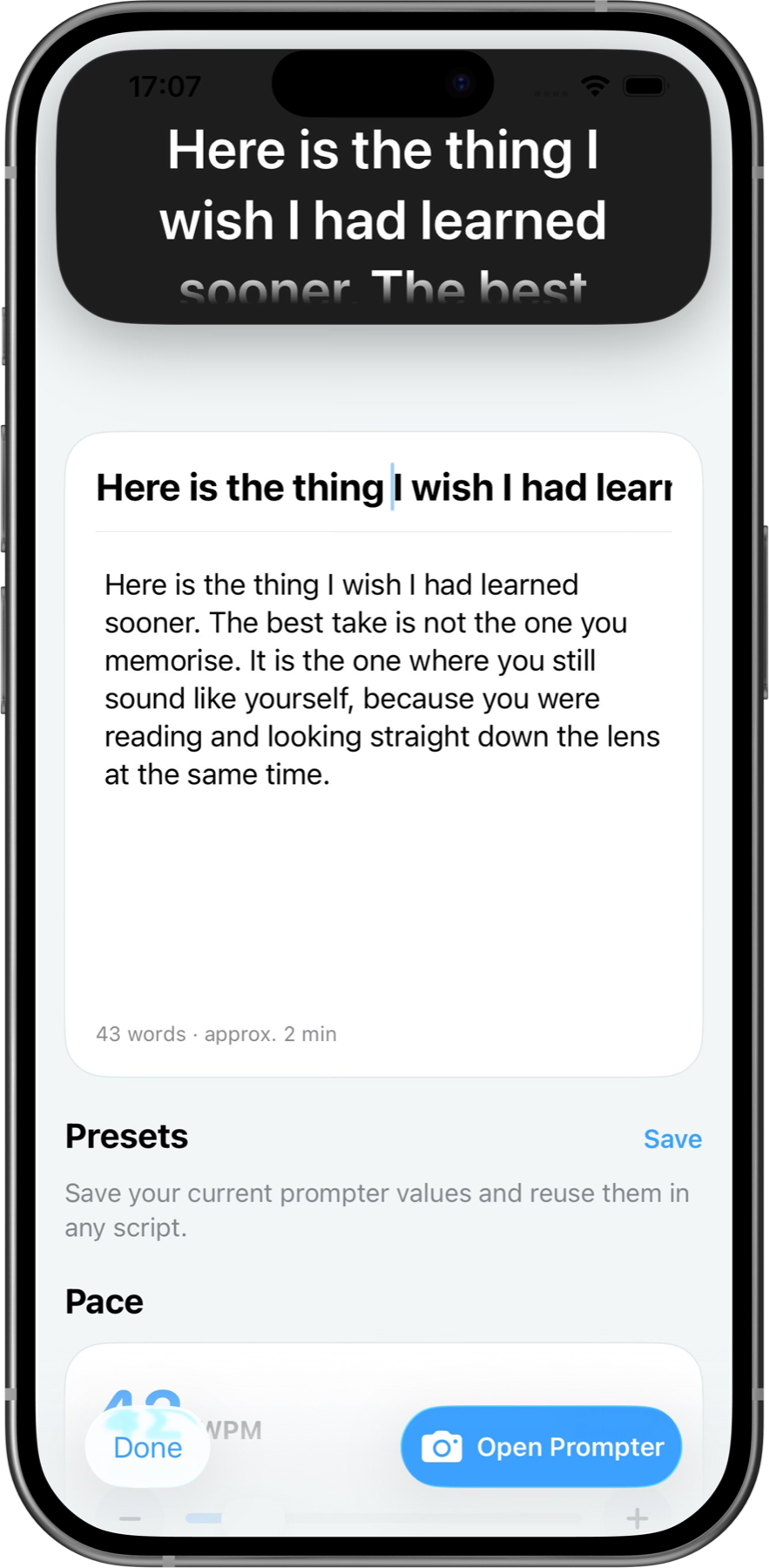
Edit the words, tune the speed, and preview the prompter at its real size.
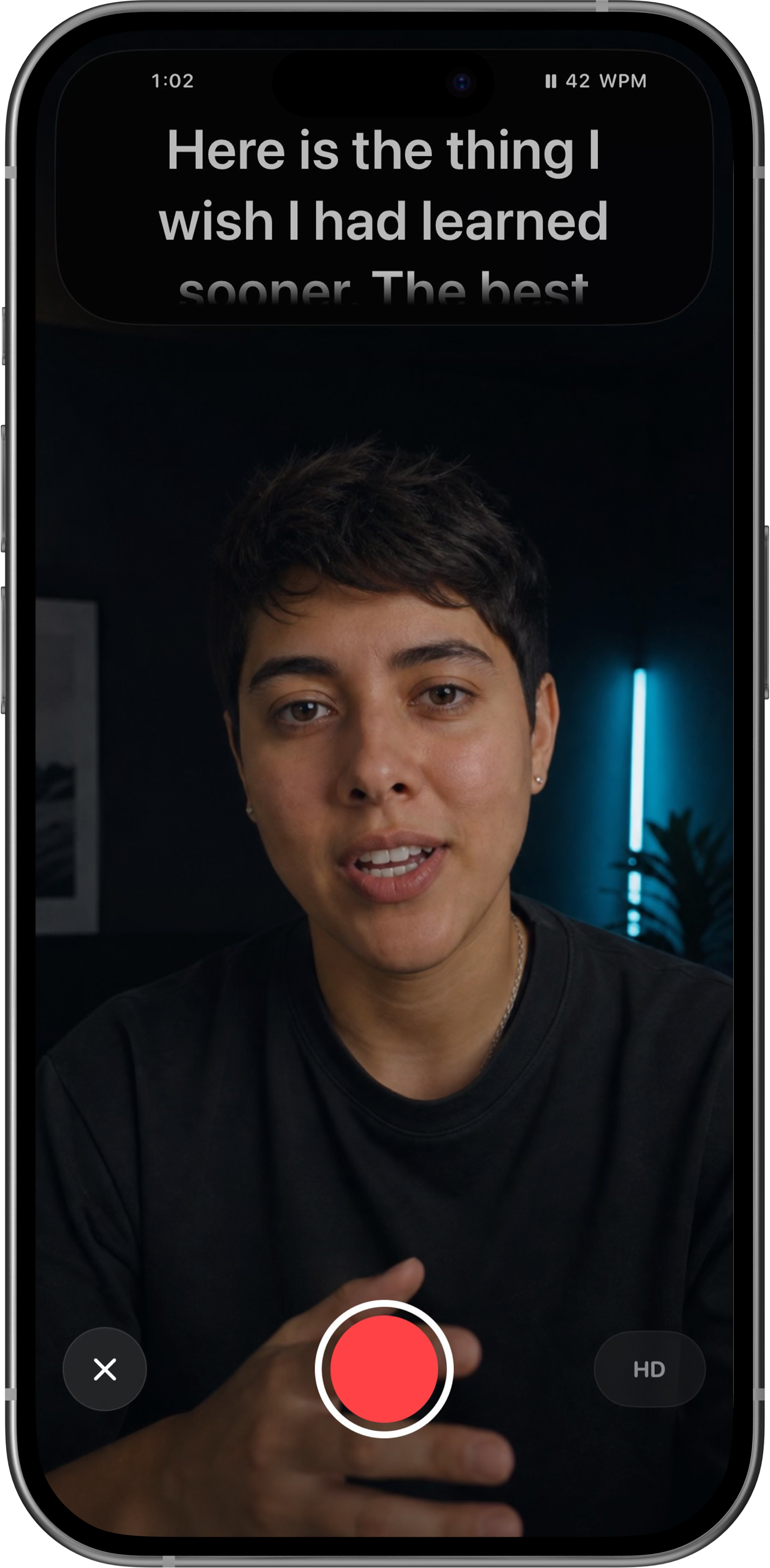
Your script moves beneath the camera while the clean recording goes straight to Photos.
Start, pause, speed up, or jump back with the iPhone volume buttons.
Work in words per minute and save your full setup as a reusable preset.
Resolution, frame rate, colour, and dynamic range stay in the camera's hands.
Recordings go from the camera straight into Photos on your iPhone. Scripts and presets stay on the device too. There is no CueSpot account and no CueSpot server, so there is nowhere for a take to be uploaded — not by us, not by accident.
At the end of setup CueSpot asks, once, whether it may send anonymous usage data so the app can be improved. Say no — or skip the question — and nothing is ever sent. It never includes your scripts or your video, and you can change the answer at any time in Settings.
Read the privacy policy
Seven days free, starting only when you save your first recording.

Requires iPhone with Dynamic Island and iOS 26 or later.